
Web Apps & SaaS
Authenticated products, dashboards and subscription platforms.
Before you replace software, check if your systems can share data. We connect the tools you already use, then automate the repeat work between them.
System integration links your separate business tools, such as your website, CRM (customer records), payments and messages, so data moves between them without retyping. Automation then takes the repeat steps out of a process. It runs on clear triggers and rules, and handles errors, so the work gets done every time, not just when someone remembers.
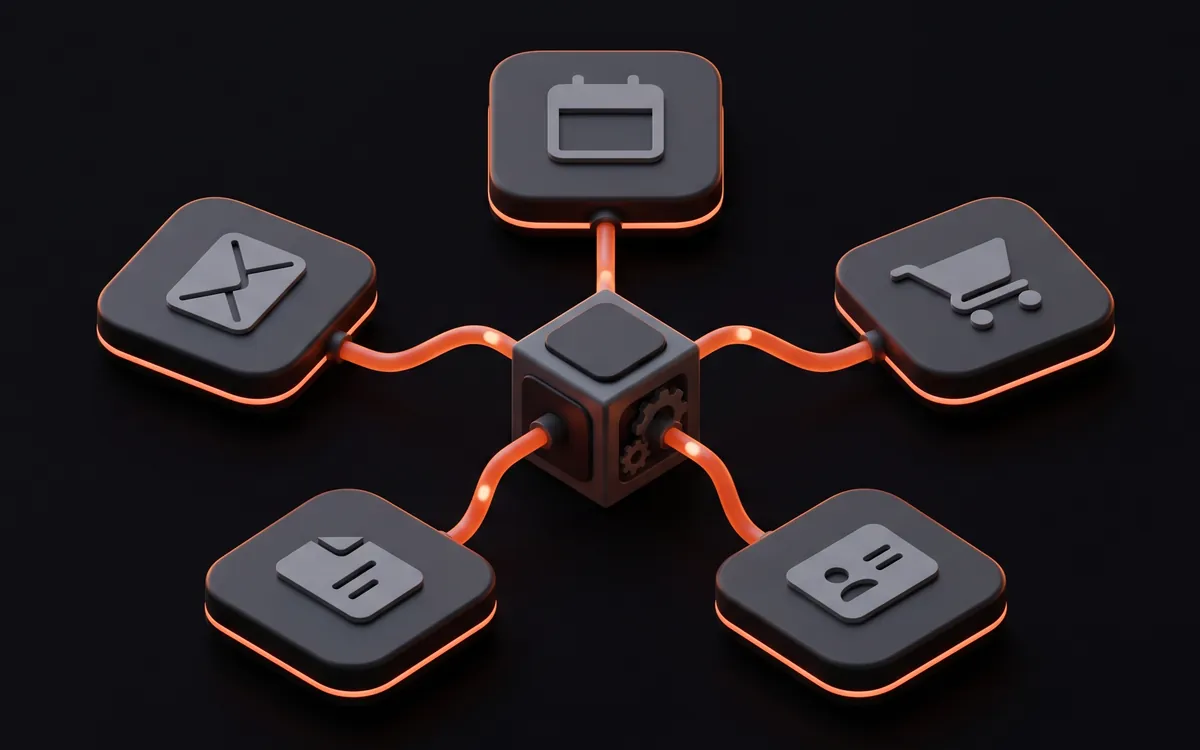
Connecting the systems the business already runs on.
Getting the website, the sales system and the back office to agree.
Taking payment, and keeping the rest of the business in step with it.
Reaching customers on the channel they actually answer.
Connecting the everyday tools people already have open.
Custom connections where no off-the-shelf integration exists.
Removing the repeated human steps once the systems are connected.
Encoding the rules a process already follows, so nobody has to remember them.
Routing each inquiry to the right person and scheduling the follow-up.
Telling the right person at the right moment, without creating noise.
A good fit for
We write down how the work is done today, including the manual steps and workarounds.
We check each API first, and tell you before scoping if a link will not work.
Before we build, we decide which system owns each field, and how to handle duplicates and failures.
We test the awkward cases too: half-filled records, duplicates, timeouts and rejected data.
Failures raise an alert, and we document what runs, when, and how to recover.
| Service | The problem it solves | What you receive |
|---|---|---|
| CRM and ERP integrations | Your CRM, ERP and website disagree about the same customer. | Clear field ownership, sync rules, duplicate matching and failure handling. |
| Payment integrations | Orders update from the browser, not the payment provider. | Verified provider events processed once; refunds and disputes recorded. |
| Messaging integrations | Confirmations and reminders go out by hand, or never. | Event-triggered email, SMS and WhatsApp, recording opt-outs and delivery status. |
| APIs and webhooks | Two systems must connect and no ready-made connector exists. | A custom connection with verified events, stored keys and retries. |
| Workflow automation | A process depends on someone remembering a step. | Triggers, approvals and notifications, with logging and failure handling. |
Not usually. Replacement is worth considering when a system exposes no API, webhooks or export, when access to its API sits on a plan that costs more than moving, or when the vendor no longer supports it. Otherwise, connecting what you already run keeps the data, the history and the habits your team relies on.
Usually, if it exposes an API, webhooks or a supported export. Some platforms restrict access to higher plans, rate-limit heavily, or simply do not expose the data you need. We check that before scoping the work, and tell you plainly when a connection is impractical rather than discovering it halfway through.
It should fail loudly and recover cleanly. Integrations we build handle retries for transient errors, avoid creating duplicate records on retry, log what failed with enough detail to diagnose it, and alert someone when failures persist. Silent failure is the expensive kind, because it is discovered weeks later.
It depends on frequency and rules, not headcount. A task done many times a week that follows rules you can write down is a strong candidate. A task done occasionally, needing judgment each time, rarely justifies the build. Where the honest answer is that building it costs more than it saves, we say so.
Automation is designed to remove repeated steps such as copying, re-keying and chasing, not to decide who does which job. What happens to the time it frees is a decision for the business. Being clear about that intent inside the team before the project starts matters, because it affects whether people use what is built.
You own them, and they are documented so another developer can maintain them. Third-party APIs change, so ongoing maintenance is a real consideration — it can sit with your team or be covered under a support arrangement, but it should be decided rather than assumed.
Short answers are above. Open a panel below for the specifics: how we decide, what is included and the deeper questions.
When sales, finance and the website each hold a different version of the same record, fixing the data flow comes before automating anything that reads it.
When the data already moves between systems but approvals, handoffs and reminders still depend on a person, the rules are what need encoding.
Where a platform offers an API or webhooks but no built-in connection to the other system, a custom integration carries the data, with its failures handled.
When a process needs its own records, screens and permissions, connecting tools that do not fit it only moves the problem, and an application is the honest answer.
Integrations and workflows are the foundation AI features run on, but reading documents, answering questions or drafting replies is AI work, covered under AI solutions.
A website should treat a payment as successful only when the payment provider reports it through a verified event received on the server, not when the customer reaches a thank-you page. The integration then updates the order, invoice or access record once, even if the same event arrives again, and records any failure for review.
Fulfillment cannot rely on the checkout landing page alone, because a customer can pay successfully and lose their connection before that page loads, and fulfillment can be triggered more than once for the same checkout session. The order is therefore updated from the provider event, and processing checks whether that payment was already handled.
Providers retry events they could not deliver, which is why an endpoint has to cope with repeats and delays. Some payment providers keep retrying a failed delivery for up to three days, and some do not guarantee that events arrive in the order they were generated, so an endpoint cannot assume either the timing or the sequence.
Building the checkout itself, including keeping card data off your servers, is covered under e-commerce websites, and turning billing events into plan access is part of multi-tenant SaaS development. Refunds and disputes are handled by the business with its payment provider; the integration records those events and routes them to the right people.
The event should reach a person, not a log nobody reads. A refund can fail if the bank or card issuer cannot process it, and a payment provider may report a dispute as its own event with a deadline to respond, so both are routed to the people who handle them with the provider.
Sending messages automatically takes an account with each provider in the name of the business, permission from recipients where the channel requires it, message formats the provider accepts, and a record of the delivery status of every message. The integration sends when a rule fires, honors opt-outs and alerts someone when a message fails.
WhatsApp adds rules of its own. The WhatsApp Business Platform requires businesses to obtain opt-in permission before messaging people, opens a 24-hour customer service window when a customer messages or calls the business, and allows only pre-approved message templates outside that window. Setting up the account and its templates can be part of the work, and the platform decides whether each template is approved.
Email alerts and confirmations are sent through the API of an email provider or over SMTP, and depend on an authenticated sending domain. Everyone sending to Gmail accounts has to set up SPF or DKIM, and senders of more than 5,000 messages a day to Gmail accounts also have to set up DMARC and support one-click unsubscribe on marketing messages. Meeting those requirements still does not guarantee that messages pass Gmail spam filters, so delivery status is recorded rather than assumed.
Registration and opt-out handling, which differ by country. Applications sending SMS to US numbers over 10-digit long codes must register for A2P 10DLC, and an SMS provider may block future messages to a number that replies with an opt-out keyword. One-time passcodes are sent the same way; the login design around them belongs to authentication and access control.
No. Delivery is decided by the provider, the carrier or the mailbox, and a sender can only meet their rules and watch the result. Each message has its delivery status recorded, failures are retried where that is safe, and a persistent failure raises an alert.
Google Workspace connections typically create calendar events from bookings, collect Google Forms responses, write rows to Google Sheets, store files in Google Drive or read a shared mailbox in Gmail, using access the business grants. Social media connections retrieve leads from advertising lead forms into the CRM and publish scheduled posts, within the access each platform approves.
Google controls how much access an application gets. An application requesting sensitive scopes has to be reviewed by Google before any Google Account can grant that access, with exceptions such as internal-only Workspace apps, and domain-wide delegation, which lets an application reach the data of users across a Workspace domain, has to be set up by a super administrator of that domain. Access is always requested in the name of the business, never through personal passwords.
Social platforms gate their APIs behind approval of their own. An app used by anyone without a role on it may have to undergo a review by the platform first, and access to lead data can be a separate program that a business applies to. Retrieving leads and publishing posts are built within the access each platform grants, and the platform decides that access.
Yes, where the platform offers publishing through its API and approves the access. Posts are scheduled from an approved queue, published through the account of the business and their result is recorded. What each platform allows changes over time, so the options are confirmed for each platform before the work is scoped.
Webhooks are received safely by verifying that each request came from the sender, acknowledging it quickly and doing the real work afterwards from a queue. Receiving them reliably means expecting the same event twice, events out of order and failed deliveries that the sender retries, and designing the endpoint so none of those changes the result.
Senders set these expectations themselves. Some count a delivery as failed when the server does not respond within a set time, and an endpoint might receive the same event more than once, which it can guard against by logging the IDs of events it has already processed.
Checking the timestamp of each delivery against a tolerance helps prevent replay attacks, and the webhook ID can serve as an idempotency key. A queue between the endpoint and the work acts as a buffer that smooths intermittent heavy loads, which stops a slow downstream system from turning into failed deliveries.
When the system offers no webhook for the change, when the current state matters more than the history of changes, or when a missed event would be costly. A scheduled API call can also reconcile what webhooks delivered, catching an event that failed after the sender stopped retrying.
A third-party API is connected securely by keeping its keys and tokens on the server, never in browser code, granting the integration only the permissions it needs, validating every response before using it, and slowing down when the provider signals a rate limit instead of retrying until the account is blocked.
The OAuth 2.0 framework lets an application obtain limited access to another service without handling the password of the account owner, and the privileges of each access token should be restricted to the minimum required for the use case.
Unsafe consumption of third-party APIs is a recognized API security risk, because developers tend to trust data from third-party APIs more than user input. Responses are therefore validated like any other input, connections use TLS, and redirects from the other API are not followed blindly.
Rate limits are part of the contract. A provider that limits requests can answer with HTTP status 429 Too Many Requests and a Retry-After header saying how long to wait, and the integration honors it.
Other systems are sometimes slow, so every call has a timeout and none is allowed to hold a page or a workflow open. Work that does not need to finish while a visitor waits, such as passing an inquiry to a CRM, runs in the background after the page has responded, and data that rarely changes is cached for a set period instead of being requested every time. Where a provider maintains an SDK for the language the integration is written in, the integration can use it instead of hand-written requests. Designing and documenting an API that other systems build on is API development, covered under web apps and SaaS.
On the server, in a secret store or protected environment configuration, never in browser code, a public repository or a spreadsheet. Secrets should be rotated regularly, so a stolen credential only works for a short time, and readable only by the people and systems that need them.
Lead automation starts once the website has stored an inquiry: it matches or creates the contact in the CRM, assigns an owner by rules the business sets, alerts that person, acknowledges the sender and schedules the follow-up, then escalates anything left unanswered. The rules differ for every business, so they are written down before being built.
Marketing automation continues from the same records: segments built from what a contact asked about, follow-up sequences that stop when someone replies, and campaign triggers such as a download or a booking. Each sequence checks the consent status recorded on the contact before it sends anything.
The last step is what makes measurement possible. The CRM records whether an inquiry became a qualified lead, against the source captured when it was submitted, and reconciling that with website analytics is covered under analytics implementation.
The steps below are one example; the rules, owners and timings differ for every business.
The business, with its legal adviser. Which permission is needed depends on where the business and its contacts are, and that is a legal question. The automation records the consent status each contact gave, honors it in every sequence and stops sending when someone opts out.
Notifications stay useful when each one goes to a named person who can act on it, through the channel that person actually watches, and when repeated events are grouped instead of sent one by one. Alerts that nobody acknowledges escalate to a second person, and anything that fires constantly is reviewed rather than ignored.
Notifications here cover business events, such as a new booking, a failed payment or an approval waiting too long. Monitoring whether a website or server is up is engineered under performance and security and operated under hosting, maintenance and support.
No notification is instant by guarantee. Providers, carriers and mailboxes add delays of their own, so time-critical alerts use more than one channel and record whether they were delivered.
A notification tells someone that something happened, such as a new inquiry. An alert asks someone to act because something went wrong or is waiting, such as a failed payment or an integration that stopped. Alerts need an owner and an escalation path; notifications usually do not.
An integration connects systems that each hold part of a customer, an order or a task, where each system offers an API, webhooks or a supported connector.
Where connections are managed: a connector built into a platform, an automation platform, custom code or screen automation, depending on what each system supports.
Inquiries, bookings and orders captured on the site, validated and stored before they move on.
Leads, contacts and deals, including leads retrieved from social advertising lead forms.
Orders, stock, invoices and the finance records the back office depends on.
Payment, refund and dispute events sent by the payment provider.
Email, SMS and WhatsApp messages sent when a rule fires, and replies received.
Calendars, spreadsheets, shared files and mailboxes, plus the social accounts a business publishes from.
Tell us what you need and when you need it. We reply with a clear scope and the next steps.